Overview
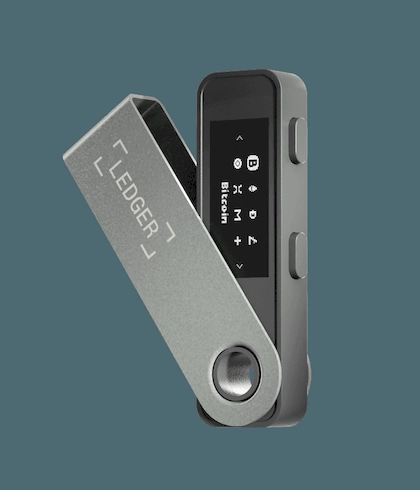
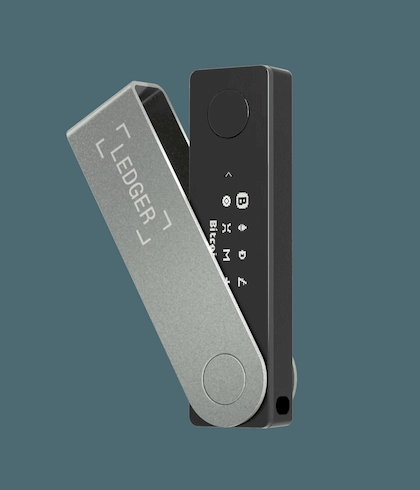
The Ledger Nano X™ is built around "keeping critical data offline + confirming on the device," and offers two common ways to connect — Bluetooth (BLE 5.2) and USB-C. It leans toward mobile use: easier to connect on the phone, while USB can still be used on the desktop for management.
Connectivity & Compatibility
Bluetooth: BLE 5.2, works with iOS/Android phones.
USB-C: for desktop computers and Android devices.
System requirements follow the official documentation: 64-bit Windows/macOS/Ubuntu desktops, and iOS 14+ / Android 10+ phones; Chromebook is not supported.
Interaction
Confirmations on the device are primarily done by on-device buttons; the common pattern is left/right buttons for navigation plus a combination confirm. Defer to the official step-by-step guide for exact button operations.
Display & Body
Monochrome OLED (128×64); body about 72×18.6×11.7mm, weighing roughly 34g — convenient for daily carry.
Safety Reminders
Initialization and recovery-phrase custody must be completed and kept by you in person, officially.
Before every authorization/transfer, rely on the information shown on the device screen as the source of truth.
When you encounter scenarios that "urge you to confirm immediately," pause first and verify the source and the fields.
Standing disclaimer: this page is provided for product information and usage reminders only and does not constitute any commitment or recommendation; please choose rationally based on your own needs and pay attention to information security.
(Product official spec source: Ledger)